
App Store Connect & Google Play: Who Should Be Watching the Dashboard (And Why They Shouldn't Have To)
Only devs check App Store Connect. PMs ping for status. Email alerts get missed. Here's how API notifications to Slack fix mobile release visibility.

Somewhere in your company right now, a project manager is about to send this message:
"Hey, can you check App Store Connect and see if we're approved yet?"
The developer will context-switch out of whatever they're doing, log into Apple's console (or Google Play, or both), navigate to the right app and version, and reply five minutes later. Maybe it's in review. Maybe it was approved an hour ago. Maybe it was rejected last night and nobody noticed.
This happens on every mobile team. It's so normal that people don't question it. But step back and ask: why is store review status—a critical milestone that affects launch timing, marketing, and executive commitments—locked inside a dashboard only one role knows how to use?
The dev-as-dashboard problem
App Store Connect and Google Play Console are built for developers and release managers. They're fine tools for submitting builds, managing metadata, and reading rejection reasons. They're terrible as a team communication layer.
In practice, here's how status flows at most companies:
- Only the dev checks the console. They're the one who submitted the build. They know which tab to click. Everyone else treats the store dashboards like a black box.
- The PM becomes a polling layer. They don't have console access, or they do but don't trust their interpretation, so they ask the dev. Repeatedly.
- Leadership assumes someone is watching. The CTO thinks the PM knows. The PM thinks the dev will flag it. The dev is fixing a build failure and hasn't checked since yesterday.
- "Approved" doesn't mean "live." Even when someone does check, store approval is only one step. Business sign-off, phased rollouts, and release timing add more states the console doesn't explain to non-technical stakeholders.
I saw this clearly at a large e-commerce clothing company. Releases were high-stakes—revenue, campaigns, partner commitments. Yet the moment a build left QA and hit the stores, visibility dropped off a cliff. The PM would ask the developer to check the dashboard. The developer would check when they had a gap between tasks. Hours—or a full day—could pass before the team learned the app was approved and ready for go-live decisions.
Why email alerts aren't enough
Both Apple and Google send email notifications when app status changes. Submitted. In review. Approved. Rejected. On paper, that solves the visibility problem.
In practice:
- Emails go to one account. Often the developer's or a shared release mailbox that nobody monitors in real time.
- They get buried. "App Store Connect: The status of your app has changed" competes with CI failures, calendar invites, and vendor threads.
- They lack context. An approval email doesn't tell the PM that QA found a regression in the previous build, or that leadership wants to hold go-live until Friday.
- Rejection reasons require archaeology. The email says you were rejected. The actual reason—and the screenshot Apple attached—lives in the console. Someone still has to log in, read it, and relay it to the team.
Email is a notification. What teams need is a broadcast—status posted where the people who need to act already are.
Manual polling: the hidden tax on every release
Every "can you check the dashboard?" message carries a cost:
- Developer interruption. Context-switching out of a build fix or code review to read a console isn't a five-second task. It's login, navigate, interpret, reply.
- Stale information. The answer is true at the moment someone checked. An hour later, someone asks again.
- No audit trail. Slack DMs and verbal standup updates don't create a record. "I thought you said it was in review on Tuesday" is a conversation nobody wants.
- Uneven coverage. Nights, weekends, holidays—nobody's polling. A rejection at 9pm Saturday might sit unnoticed until Monday standup.
Some teams script cron jobs that hit store APIs and post to Slack—that works until credentials expire or the person who wrote the script leaves. It's maintenance work your mobile team wasn't hired to do.
What API notifications to Slack actually give you
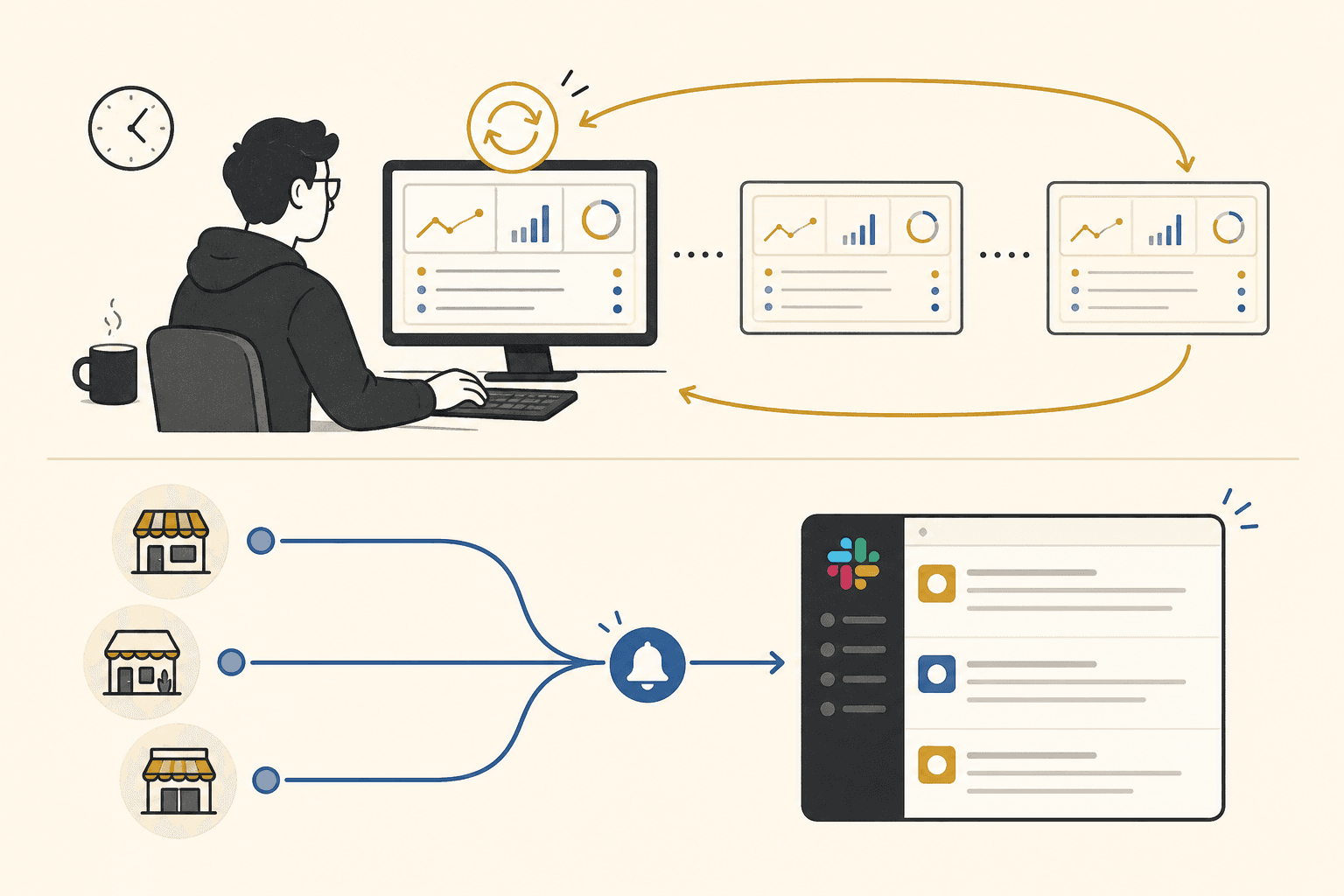
Apple's App Store Connect API and Google Play's publishing APIs expose release state programmatically. The data that lives behind those console screens—version status, review state, approval, rejection—can flow into your team's communication hub without anyone opening a dashboard.
Done well, this means:
- Submission posts to the channel when the build hits the store, so QA and PM know the review clock has started.
- Review status updates appear automatically—in review, waiting for export compliance, pending developer release.
- Approval is visible to everyone the moment it happens, including leadership who don't have console access.
- Rejections land with context in the same thread as the release, so the team can route back to the right step (fix, rebuild, resubmit) without a scavenger hunt through email.
The point isn't to replace App Store Connect or Google Play Console. Developers still need those tools to submit builds and respond to rejections. The point is to stop making store status a developer-only secret that everyone else has to ask about.
Who should watch the dashboard? Almost nobody—for status.
Developers should use the consoles for actions—upload, fix rejections, manage phased release. PMs and executives shouldn't need console literacy to know whether they're cleared to announce a launch. When status flows automatically into Slack, the PM stops being a human notification service and the "is it approved yet?" thread dies because the answer was posted when it happened.
ReleaseSteps connects App Store and Google Play APIs to your Slack workspace. Store status—submitted, in review, approved, rejected, live—posts to your release channel automatically, alongside step-by-step release tracking with /releasesteps. See pricing — $79/month per workspace.